Getting Started in Run A Freezeria
Your first hour on the floor — tickets, stations, hats, and the purchases that actually help.
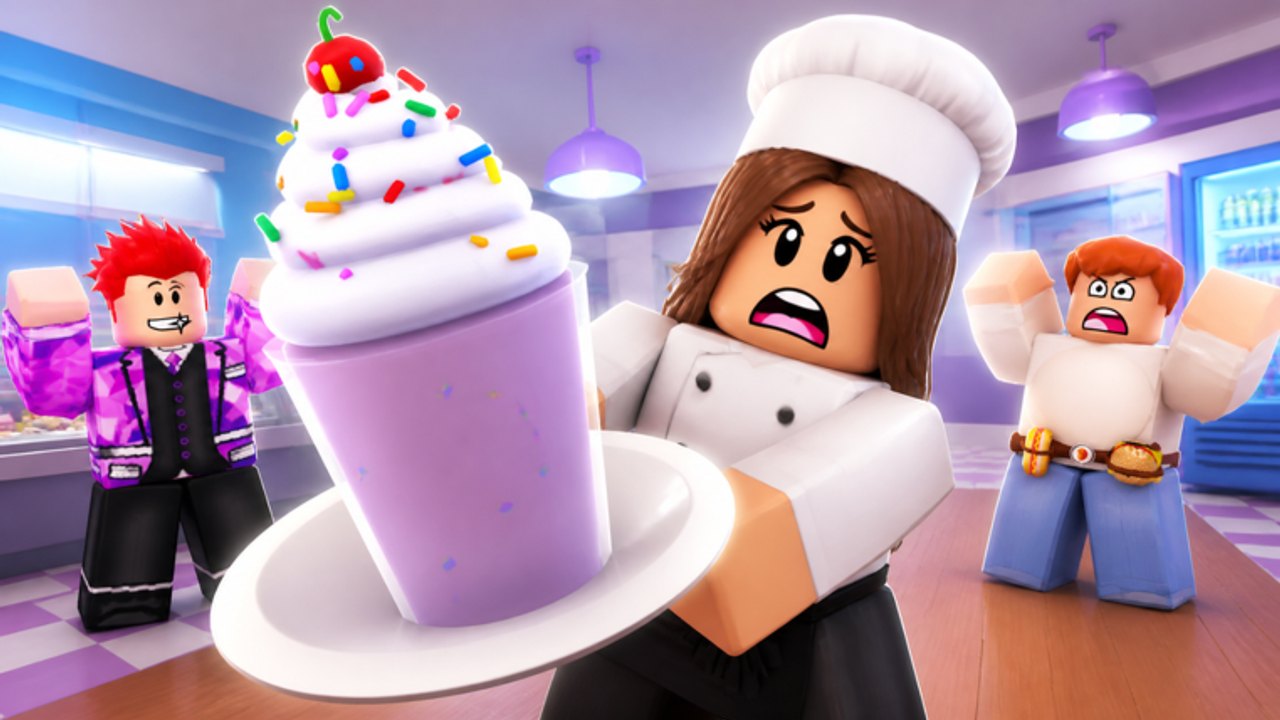
Run A Freezeria is a Roblox sundae shop from Build Station (developer BloxyPies), publicly released on 14 August 2026 and inspired by Flipline’s Papa’s Freezeria. You are not running a plot-based farm tycoon. You are taking tickets, building cups, mixing them, topping them, and getting a grade that feeds stars, cash, and rank. Servers hold up to 20 players. This page is the first-shift briefing so you do not spend your starter cash on furniture while the pour is still manual.
What the official listing actually promises
Memorize this, because almost every other page on the wiki hangs off it:
- Build, mix, and top sundaes for customers.
- Earn stars from every customer you serve.
- Collect 56 hats that boost your points.
- Buy upgrades for auto-pour, boosted blenders, and ring alarms.
- Rank from Rookie to Master and unlock 50+ customers.
- Every sundae is graded; perfect scores are the skill check.
- A Goals update pays hats, furniture, and cash for daily and weekly tasks.
If a random guide tells you to fish, plant wheat, or hire NPC waiters, it is describing a different Roblox restaurant. Stay on this wiki’s stations and Goals pages instead.
Your first 15 minutes
Spawn, find the ticket line, and take one order without buying anything. Write the ticket down in the same order the sundae checklist uses: cup or size if the ticket shows one, mix-ins, syrup or blend, then toppings. Walk the three craft stations once so you know which counter is Build, which is Mix, and which is Top. If a tutorial overlay exists, finish it; skipping it to “save time” usually costs a ruined first cup.
Play the first three customers slowly. Speed comes from muscle memory, not from sprinting between counters. If other players are crowding a station in your 20-player server, wait rather than clipping through them and dropping the cup. This is online multiplayer even when it feels like a single kitchen.
After three graded tickets, open the shop. Your first cash should chase time, not paint. The upgrade planner and the upgrade tier list agree on the early order: ring alarm (hear customers from Mix/Top), blender boost, then auto-pour once you understand the meter. Furniture can wait. Hats can wait until you read how hats boost points.
How a shift feels after the tutorial
Customers arrive, you take the ticket, you build, you mix, you top, you serve, you read the grade. Stars and cash scale with that grade, which is why the perfect score guide exists. A pretty lobby does not raise the number. A hat might, which is why this shop’s cosmetics are not purely vanity.
Ranks unlock more of the 50+ customer roster. Do not obsess over Master on day one. A stable Rookie who hits green on Mix will out-earn a panicked player buying every poster. The rank-up guide is the medium-term plan; this page is only the on-ramp.
Check daily goals before you log out. The Goals update is the closest thing to a daily login, and it is how a lot of hats and furniture enter the save without a promo code. Details live on the goals guide and the Goals patch page.
What not to copy from other wikis
Do not import Papa’s Freezeria Deluxe ingredient unlock ranks. Do not import Run a Restaurant fishing layouts. Do not paste “working codes” from a compilation thumbnail — the codes hub is empty on purpose. Do not buy an executor because a script hub titled something like “auto cook” showed up in search; read scripts and safety if you were tempted.
Do learn the Papa’s-style station order, because that is the inspiration the developer named in public. Order → Build → Mix → Top is the spine. The Roblox layer on top is hats as score gear, Goals as a daily loop, 20-player servers, and upgrades named in the listing.
Controls and comfort
Before your first rush, skim controls. On PC, lock the camera so a blender boost click does not orbit the kitchen. On mobile, give the pour button more thumb space than the jump button. If the HUD scale covers the ticket, lower it; you cannot grade what you cannot read.
After the first hour
You should have: one or two time-saving upgrades, a sense of which station you fail, and a daily goal in progress. Next reads are stations for depth, perfect scores for the grader, and the hat tier list before you wear a joke hat into a closer rush. Keep the official links nearby so patch notes do not arrive through a stolen Discord invite.
Run A Freezeria is already out. You do not need to pre-register, wait for a Steam page, or hunt a closed beta key. Join the experience, take a ticket, and let the grade teach you faster than a leaked spreadsheet would.
Frequently Asked Questions
Quick answers for new and returning sundae chefs.
Is Run A Freezeria free to play?
Yes, on Roblox. Optional Robux cosmetics may exist later; the listing highlights hats, upgrades, and Goals rewards you can chase in-game.
Can I play with friends?
Yes. Servers hold up to 20 players. It is online multiplayer, not local split-screen.
What should I buy first?
Time savers: ring alarm, blender boost, auto-pour. Follow the upgrade planner.
Where do I go after this page?
Open stations and controls, then try for a cleaner grade with perfect scores.